


Avoid random bot responses by blocking unwanted interactions.
Backtracking resets the history of previously entered interactions to help you control the conversation flow and narrow the context.

How does it work
Let’s look at an example to better understand how this bot action works.
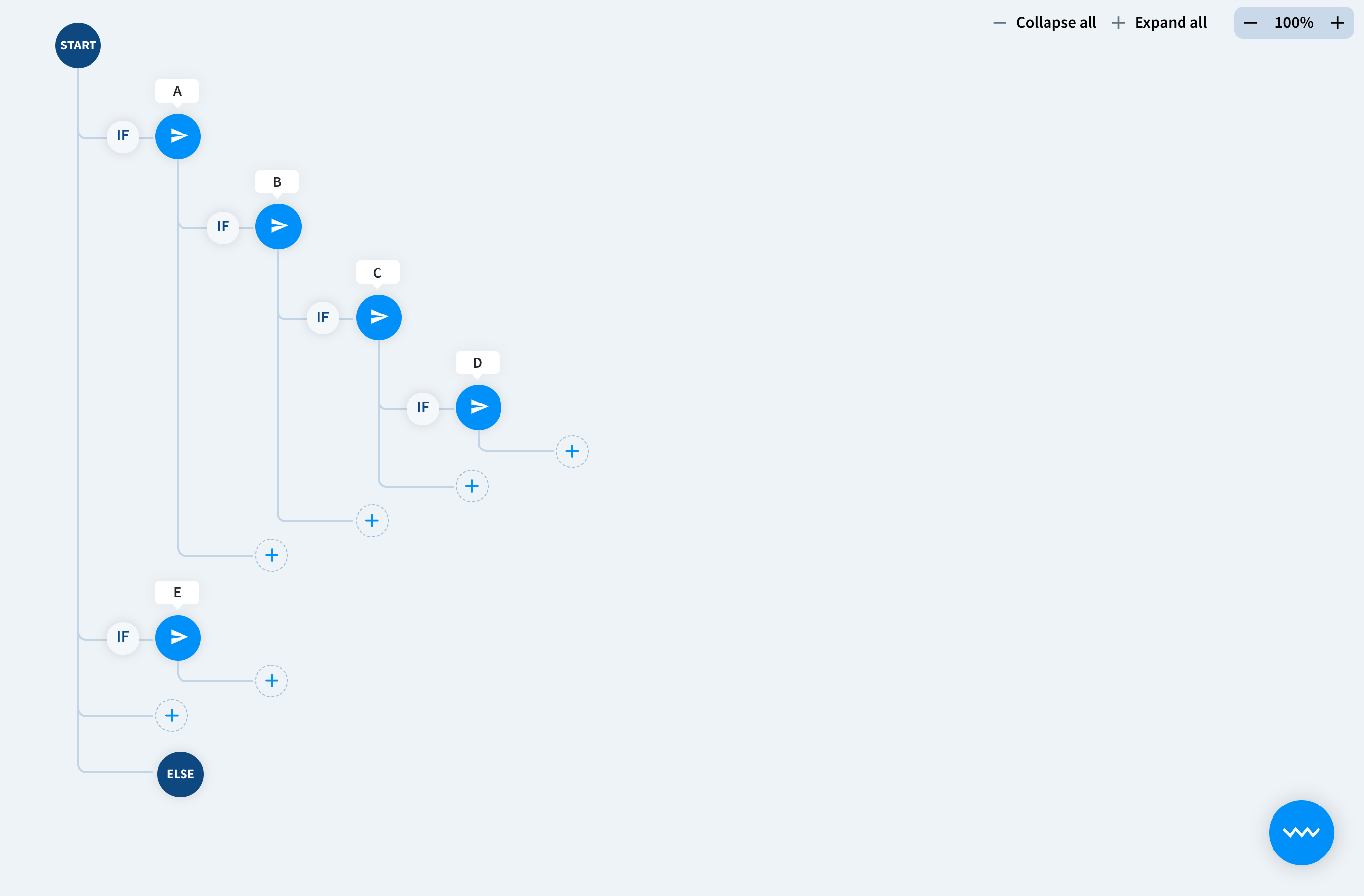
A story that has four nested interactions: A, B, C and D. A user chats with the bot and arrives at C where all the three other interactions are reachable. A as this is the story root, B because it has been previously entered and D as this is the child interaction.
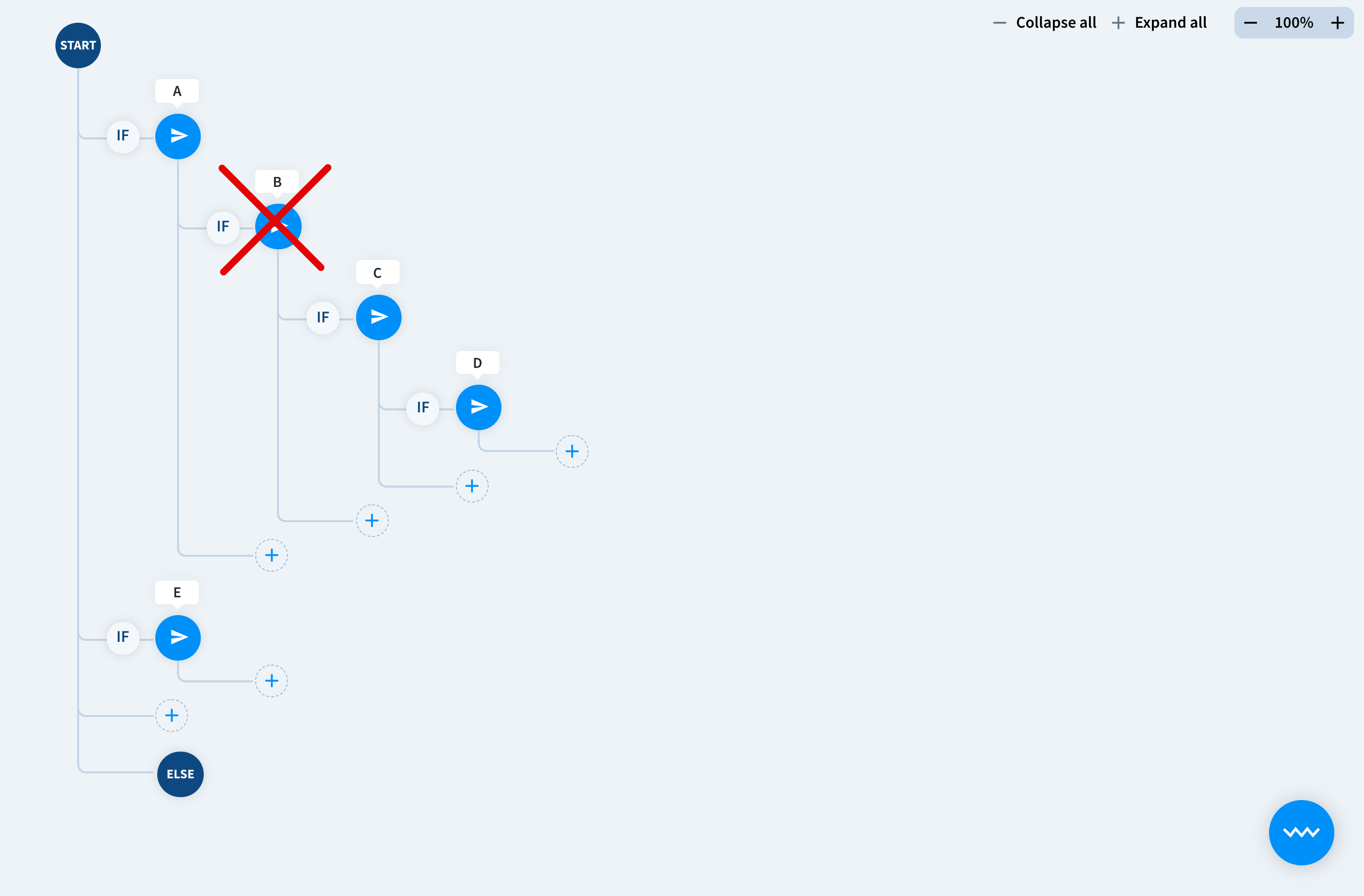
What happens if we add the backtracking action that allows root and subsequent interactions to the current C interaction? We’ll be still able to reach A, because this variant of the action doesn’t block root interactions and D, because this is the child of our point in the tree, but we won’t be able to return to B.
Let’s analyze the same scenario but with another action’s settings that allow only subsequent interactions.
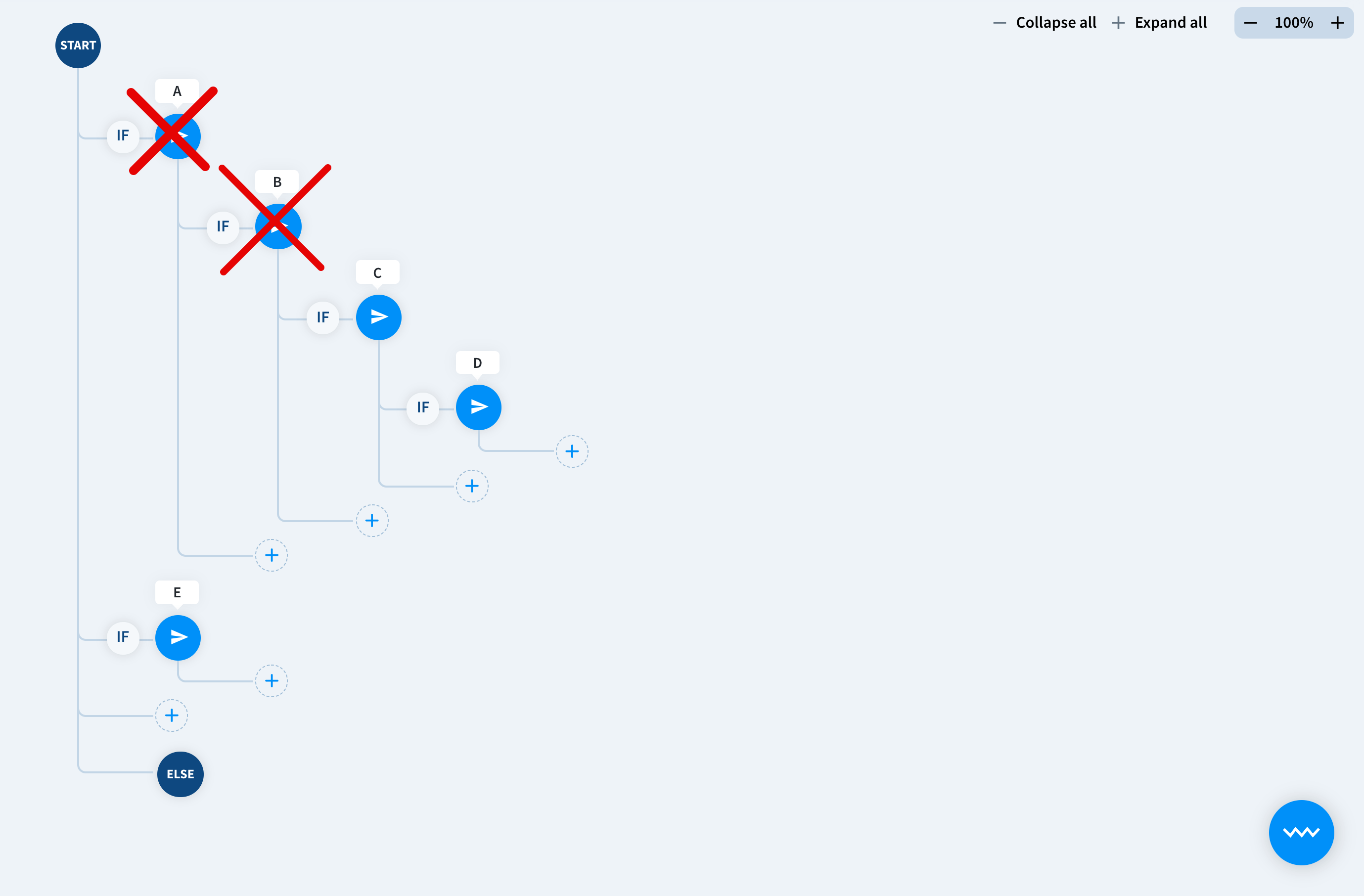
Now, the bot will try to match the inquiry only with the following D interaction.
Configuration
- Select the interaction that you want to add the Backtracking action too from the story view.
- Move to the Bot responses. Select Backtracking from available actions and decide if you want to block subsequent interactions or subsequent interactions and the root.
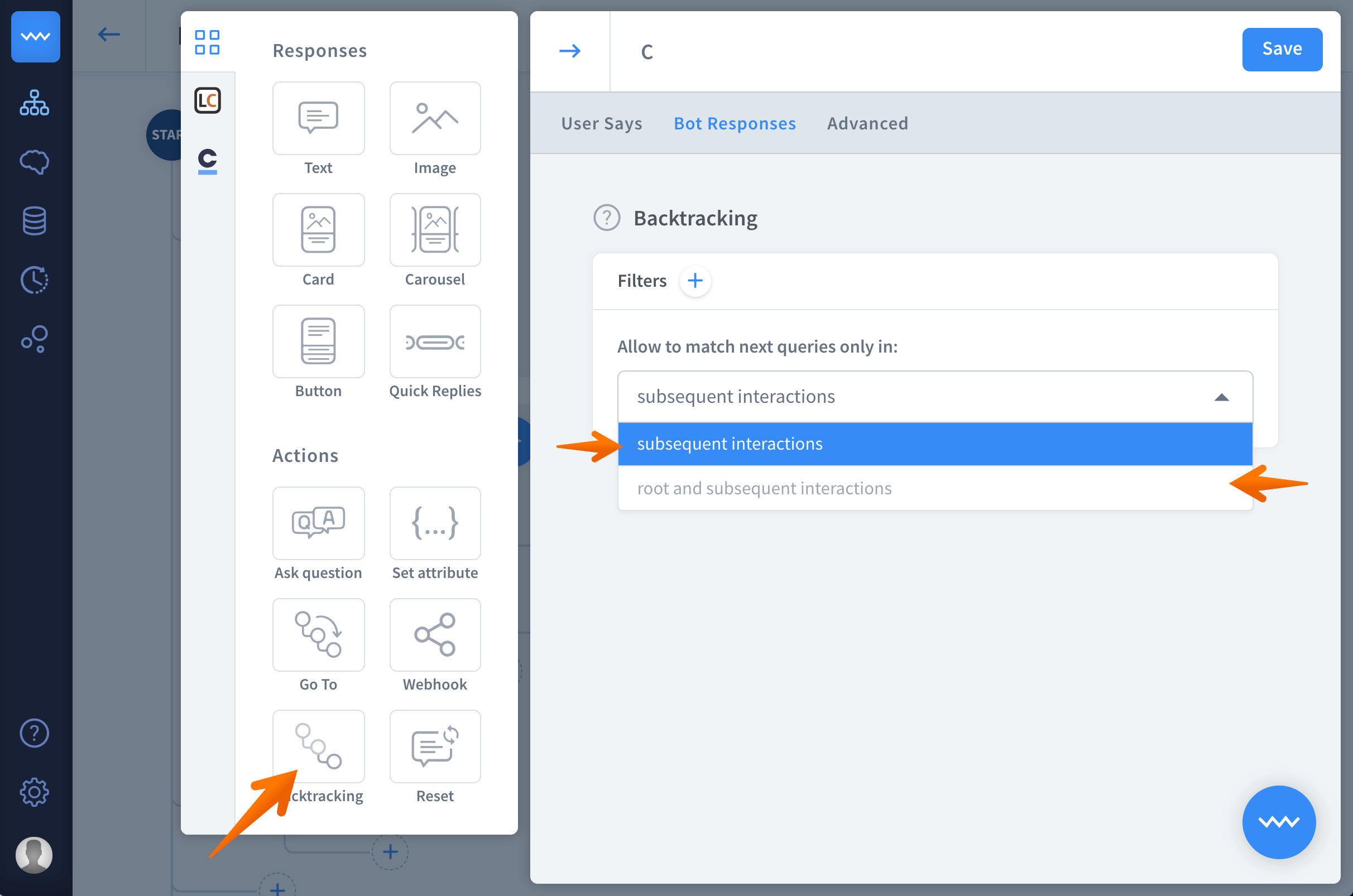
- Click save to keep your work.
