

Showing top 0 results 0 results found
Showing top 0 results 0 results found


Most automation breaks the moment something unexpected happens. A customer asks a question the script didn't anticipate, a data source changes format, or a decision requires context that no flowchart could predict.
That's the gap AI agent workflows are built to close.
Instead of following fixed scripts, AI agents sense their environment, reason through options, and act on what they find. They loop through this process continuously, adjusting as new information comes in. It's not a linear path from trigger to outcome. It's a cycle.
And that cycle is what makes AI agent automation fundamentally different from the process automation most teams are used to.
In this guide, you'll learn what an AI agent workflow actually looks like in practice, how it differs from traditional automation, and how to build one that works in production, not just in a demo.
What is an AI agent workflow?
An AI agent workflow is a structured process in which one or more AI agents complete tasks by perceiving inputs, reasoning about them, and taking action. These workflows operate in a loop: sensing, reasoning, acting, then starting again with the updated context.
The reasoning layer comes from large language models (LLMs), which break down goals into smaller tasks, decide what information is needed, and determine the next step. The agent might search a knowledge base, pull data from a CRM, or call an external API before circling back to evaluate its progress.
What separates this from a basic chatbot or rule-based system is autonomy. The agent doesn't need a human to tell it what to do at every step. It plans, it executes, and it adapts.
That said, "autonomous" doesn't mean "unsupervised." The best AI agent workflows include human-in-the-loop checkpoints where a person reviews or approves high-stakes decisions before the workflow continues. More on that later.
AI agent workflow vs. traditional automation
If you've worked with process automation before, you know the drill. You map out every possible scenario, define rules for each, and build branching logic to cover the edge cases. It works fine for predictable, repetitive tasks.
The problem is that most real-world work isn't predictable. Customers don't follow your flowcharts. Data doesn't arrive clean. Priorities shift mid-process.
Here's where the two approaches split:
|
Traditional Automation |
AI Agent Workflow |
|
|---|---|---|
|
Decision logic |
Follows predefined rules and fixed scripts |
Uses reasoning and context to decide next steps |
|
Adaptability |
Requires manual updates when conditions change |
Adapts in real time without new rules |
|
Setup complexity |
Every path must be defined upfront |
Agent learns to navigate new situations |
|
Error handling |
Breaks on unexpected inputs |
Reasons through exceptions and applies fallback logic |
|
Best for |
High-volume, identical tasks |
Complex tasks requiring judgment and adaptation |
|
Debugging |
Predictable, easy to trace |
More complex due to agent reasoning |
|
Cost profile |
Lower per-execution cost |
Higher token consumption, but handles more complexity |
Neither approach is universally better. Agentic workflows are suitable for complex, multi-step, and high-reliability scenarios. Traditional automation is still the right call for simple tasks that never change.
The key question is this: Does the task require judgment, or just execution?
Core components of an AI agent workflow
An effective AI agent workflow is dynamic, allowing the agent to reason, use tools, and adapt its path based on context. But every workflow, regardless of complexity, shares a set of core components.
AI models (the reasoning layer)
Large language models provide the reasoning layer for an agent. They interpret language, understand goals, and decide next steps. When a customer submits a question, the LLM doesn't just pattern-match against a list of canned responses. It reads the question, considers the context, and generates a plan.
The quality of this reasoning directly determines how well the agent performs. Garbage model, garbage output. This is why choosing the right AI model for your use case matters more than choosing the fanciest one.
Tools and integrations
An agent that can only think but not act is just a very expensive autocomplete. Tools and integrations enable agents to perform real work inside business systems, from pulling order data to sending follow-up emails to updating a CRM record.
Common tool categories include database access, API calls, file retrieval, web browsing, and messaging platforms. The agent decides which tool to use based on the task at hand, not because someone hardcoded a trigger for it.
You can set up this kind of tool-based AI agent automation with platforms like Text, which connects AI agents to live chat, help desks, and customer data without requiring a dev team to wire everything together.
Memory systems
AI agents should have short-term memory to track the current conversation and long-term memory for historical data. Without memory, the agent treats every interaction as if it were the first. It forgets what the customer said 30 seconds ago, let alone last week.
Short-term memory keeps the current task on track. Long-term memory (often powered by a vector store or retrieval system) gives the agent access to historical context: past conversations, purchase history, and previous resolutions.
This continuity is what makes the difference between a helpful agent and an annoying one.
Prompt engineering and system prompts
System prompts define the agent's role, tone, behavioral limits, and goals. Prompt engineering determines how well the agent interprets ambiguous instructions and stays on task.
This is the part most teams underestimate. A well-designed system prompt can prevent 80% of the weird, off-brand responses that make stakeholders nervous about deploying AI agents in production environments.
Feedback mechanisms
Agents need feedback to improve. This can come from human input (a reviewer marking a response as incorrect), from automated checks (a validation step that catches formatting errors), or from outcome data (did the customer actually get their issue resolved?).
Without a feedback loop, you don't have a workflow. You have a one-way pipe.
How AI agent workflows actually work (step by step)
Let's walk through what happens when an AI agent workflow processes a real task. Say a customer support agent powered by AI receives a ticket about a billing discrepancy.
Step 1: Perceive the input
The agent receives the ticket. It reads the customer's message, identifies the intent (billing dispute), and pulls the customer's account data from the database.
Step 2: Reason about the goal
The LLM evaluates the situation. Is this a simple charge explanation, or does it require a refund? Does the customer's account history suggest a pattern? Are there company policies that apply?
The agent doesn't follow a decision tree. It weighs these factors and forms a plan.
Step 3: Act
Based on its reasoning, the agent takes action. Maybe it pulls the invoice, compares the charges, and drafts a response explaining the discrepancy. Or maybe the amount exceeds its authorization limit, so it escalates to a human reviewer.
Step 4: Evaluate and loop
After acting, the agent checks its work. Did the response address the customer's concern? Is there follow-up needed? If the customer replies with more questions, the loop starts again with updated context.
This sense-reason-act cycle repeats until the task is resolved or handed off.
Single agent vs. multi-agent workflows
Not every workflow needs a team of AI agents. Sometimes one agent with the right tools can handle the job. Other times, the task is complex enough that breaking it across multiple specialized agents makes more sense.
When a single agent works
A single agent is best for self-contained, intelligent tasks with fast setup and minimal control needs. One agent handling FAQ responses, one agent triaging incoming tickets, one agent generating email drafts. If the scope is narrow and the tools are clear, a single agent keeps things simple.
When you need multi-agent systems
Multi-agent orchestration becomes necessary when a process has distinct stages that require different expertise or tool access. A research agent gathers data, a drafting agent writes the report, a review agent checks for accuracy.
Multi-agent orchestration manages how several agents collaborate on a process, dividing tasks and avoiding duplication. Each agent has its own role, its own tools, and its own success criteria.
The tradeoff? Managing multi-agent orchestration becomes increasingly complex as the number of agents grows. Debugging gets harder. Costs go up. And if the agents aren't well-coordinated, you end up with conflicting actions or duplicated work.
For most teams starting out, a single agent with well-defined tools is the smarter first move. Scale to multi-agent systems when you've validated the single-agent approach and genuinely need the added coordination.
Common AI agent workflow patterns
Different agent setups behave differently, and understanding the common patterns helps teams pick the right structure before building.
Sequential workflow
Tasks flow from one agent (or step) to the next in a fixed order. Agent A completes its work, passes the output to Agent B, which passes to Agent C. Predictable, easy to debug, and well-suited for processes with a clear beginning and end.
Parallel workflow
Multiple agents work on different parts of a task simultaneously. Useful when tasks are independent of each other, like gathering data from several sources at once. Faster execution, but requires coordination to merge results.
Router workflow
A central agent evaluates incoming tasks and routes them to the appropriate specialized agent. This is the pattern behind most AI agent use cases in customer support, a triage agent decides whether a ticket goes to billing, technical support, or sales.
Hierarchical workflow
A manager agent delegates tasks to worker agents, monitors their progress, and decides next steps based on their outputs. Useful for complex workflows where one agent needs to coordinate several others.
Human-in-the-loop workflow
Certain steps require human approval before the workflow continues. This pattern is non-negotiable for high-stakes decisions: refund approvals, contract modifications, or anything involving sensitive data. The agent does the prep work, a human makes the call.
Real-world applications of AI agent workflows
AI agent workflows can show up in pretty much any context where decisions happen at scale. Here are the ones that actually matter for most businesses.
Customer support
An AI agent monitors incoming tickets, analyzes interactions, and drafts personalized resolutions. For complex queries that require back-and-forth reasoning and real-time prioritization, the agent loops through multiple rounds of data retrieval and analysis before responding.
ChatBot handles this kind of workflow natively. The AI agent connects to your knowledge hub, reads the customer's message, and resolves the issue or hands it off to a live agent with full context intact.
Marketing automation
AI agent workflows can create personalized outreach sequences based on customer behavior analysis. Instead of blasting the same email to your entire list, an AI agent for marketing automation segments users by behavior, writes copy tailored to each segment, and adjusts the cadence based on engagement.
E-commerce
In e-commerce, AI agent workflows monitor inventory and pricing, adjusting them automatically based on real-time data. An ecommerce AI agent can also cross-reference browsing behavior with purchase history to serve product recommendations at the right moment.
Fraud detection
AI agent workflows can enhance fraud detection in financial services by monitoring transactions in real time and alerting teams to suspicious activity. The agent scans for patterns that would take a human analyst hours to spot, then flags anomalies for review.
Sales
A sales-focused AI agent captures leads from website conversations, qualifies them based on behavioral signals, and routes hot prospects to your sales team. The workflow runs 24/7, which means your pipeline fills even when your team is offline.
How to build an AI agent workflow
You don't need a machine learning team to build an AI agent workflow. But you do need a clear plan. Here's how to approach it.
1. Define the outcome
Start with the result you want. Not "automate customer support" but "resolve 80% of billing inquiries without human intervention." Specific success criteria keep the project focused and measurable.
2. Map the existing process
Before automating anything, document how the task is done today. Mapping the tasks in the existing human workflow helps identify which steps are repetitive and which require judgment. Automate the repetitive ones first.
3. Choose your platform
Choosing an AI agent platform that supports your needs is half the battle. Look for one that offers no-code or low-code building, native integrations with your existing tools (CRM, help desk, messaging channels), and clear analytics.
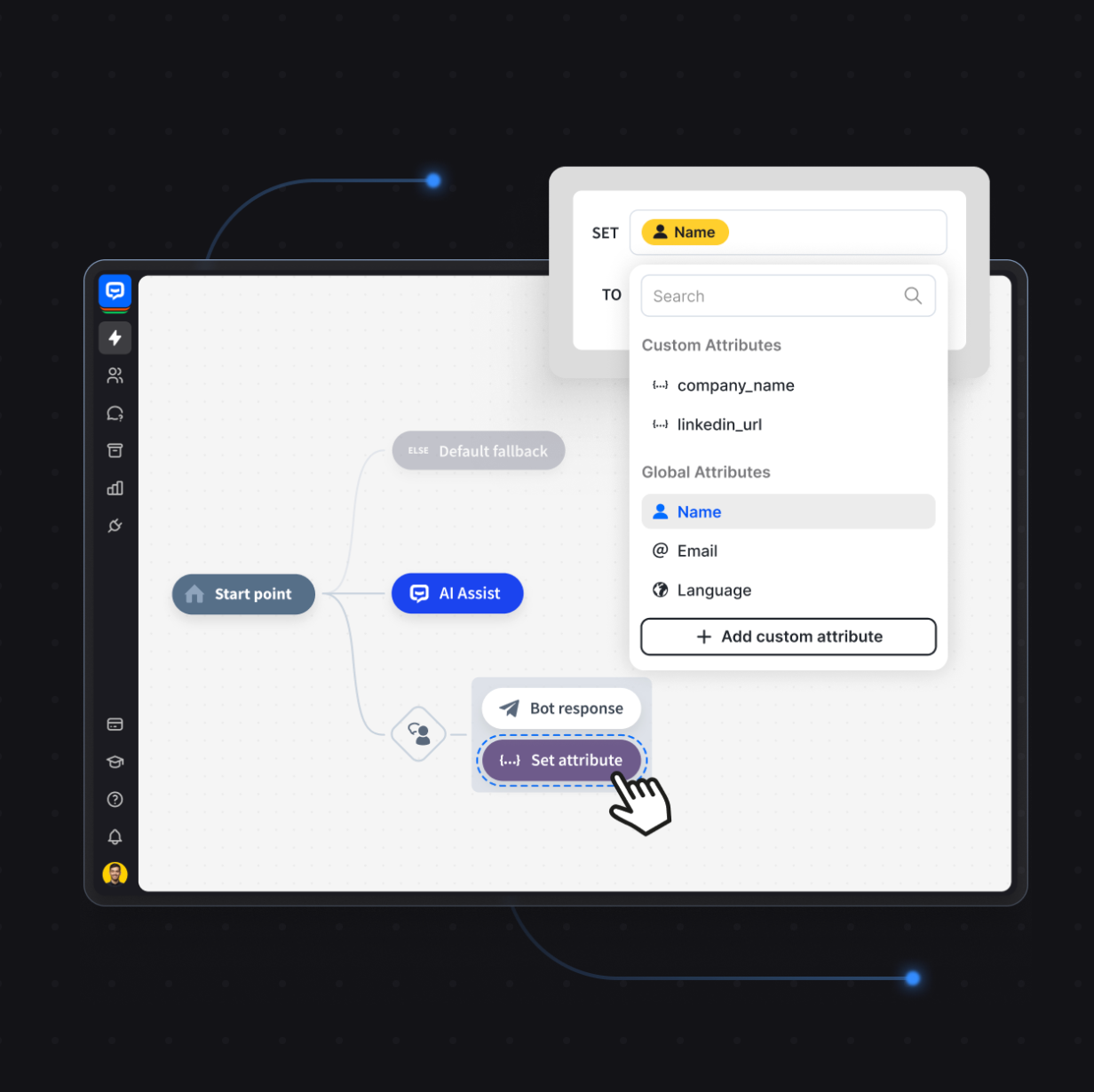
An AI agent platform such as ChatBot, lets you build workflows without deep technical expertise. You connect data sources, define the agent's role, and set guardrails for behavior. No PhD required.
4. Build the workflow
Using an ai agent workflow builder, lay out the steps. Define triggers, connect tools, set decision points, and establish escalation rules. Test each step individually before connecting them.
5. Add human-in-the-loop checkpoints
Don't automate everything from day one. Build in human oversight for high-stakes decisions. As you gain confidence in the agent's accuracy, you can gradually reduce manual review. But start with more checkpoints, not fewer.
6. Test, monitor, optimize
Testing, monitoring, and optimizing the workflow is an ongoing process, not a launch-day checklist. Track metrics like accuracy, task completion rate, and escalation frequency. Review agent outputs regularly. Adjust prompts, tools, and decision logic based on what you see.
AI agent vs. agentic workflow: what's the difference?
These terms get used interchangeably, but they mean different things.
An AI agent is the entity that perceives, reasons, and acts. It's the individual unit of intelligence.
An agentic workflow is the structured sequence of tasks that one or more agents follow to complete a goal. It's the process, not the player.
AI agents are ideal for more dynamic use cases, while agentic workflows are best suited to more structured scenarios. An agent can operate independently, making decisions on the fly in a dynamic environment. A workflow provides the guardrails: predefined checkpoints, timeouts, fallback logic, and human sign-offs.
When deciding between AI agents and agentic workflows, consider task complexity, governance needs, and the operational environment. If you need speed and flexibility, lean toward an autonomous agent. If you need auditability and reliability, lean toward a structured workflow.
In practice, most production systems combine both. The workflow provides the structure, and the agents provide the intelligence within it. That's the setup that actually scales.
Challenges of AI agent workflows
Let's be honest about what can go wrong. AI agent workflows aren't magic, and pretending otherwise sets everyone up for disappointment.
Integration complexity
AI agent workflows can integrate with various business systems, including CRMs and analytics tools, but connecting multiple systems introduces real technical challenges. Data formats differ. APIs have rate limits. Auth protocols vary. Each integration point is a potential failure.
Data quality
Data quality issues can significantly affect the decisions made by AI agents in workflows. If your knowledge base is outdated or your CRM data is inconsistent, the agent will make confident but wrong decisions. Clean data in, clean decisions out.
Debugging
Debugging AI agent workflows can be significantly more challenging than debugging traditional workflows due to the complexity of agent reasoning. When a rule-based system breaks, you can trace the exact path it took. When an agent makes a bad decision, you often need to reconstruct its entire reasoning chain to understand why.
Cost
AI agent workflows can incur higher operational costs due to increased token consumption and resource usage compared to traditional workflows. Every LLM call costs tokens. Multi-agent setups multiply that cost. Monitor your usage and set budget guardrails early.
Over-automation
Over-automation can lead to unexpected or unintended behavior in AI agent workflows. Not every task benefits from agent autonomy. Some processes are simple enough that a basic script handles them better, cheaper, and with fewer surprises.
Governance
The unpredictability of AI agents can complicate governance and compliance efforts in workflows. If you're in a regulated industry, you need clear audit trails, decision logs, and the ability to explain why the agent took a particular action. Agentic workflows provide a deterministic structure with clear checkpoints, timeouts, and human sign-offs, making them suitable for high-stakes environments.
Evaluating and measuring success
You can't improve what you don't measure. Evaluating the success of agentic workflows requires tracking metrics that reflect both performance and reliability.
- Accuracy: Is the agent making correct decisions? Compare agent outputs against human-reviewed baselines.
- Task completion rate: What percentage of tasks does the agent resolve without escalation?
- Escalation frequency: How often does the agent hand off to a human? A healthy escalation rate means the agent knows its limits.
- Response time: How fast does the workflow move from input to resolution?
- Cost per resolution: Factor in token usage, API calls, and any human review time.
- Customer satisfaction: If the workflow is customer-facing, track satisfaction scores and feedback directly.
These metrics should inform ongoing optimization. If accuracy is high but resolution time is slow, look at tool latency. If escalation is too frequent, revisit your prompt engineering.
Getting started with AI agent workflow automation
AI agent workflows are not a future concept. Teams are running them right now in customer support, sales, marketing, and operations. The technology is there. The tooling has caught up. The question is no longer "can we do this?" but "what should we automate first?"
Start with one high-volume, high-friction process. Map it. Build an agent around it. Measure the results. Then expand.
ChatBot makes this straightforward. You get an AI agent trained on your business data, connected to live chat and help desk tools, with no-code setup and built-in analytics. No infrastructure headaches. No six-month implementation timelines.