

Showing top 0 results 0 results found
Showing top 0 results 0 results found


You gave an AI agent a task. It checked your CRM, pulled a customer's order history, drafted a response, and resolved the ticket before your morning coffee cooled down. Fifteen steps, zero hand-holding.
But what just happened behind the scenes? What made this thing decide to check the CRM first, recall the customer's last three interactions, and skip the refund script entirely because the real issue was a shipping delay?
That's architecture. Not in the "here's a fancy diagram" sense (though we'll get to that). In the "this is what separates an AI agent that actually works from one that loops forever and apologizes for the inconvenience" sense.
AI agent architecture refers to the structural framework that defines how an agent perceives its environment, processes information, makes decisions, and acts on those decisions. It's the blueprint behind every AI agent example that does something genuinely useful, and every one that doesn't.
Let's break it apart.
What is AI agent architecture?
If you're already clear on what AI agents are, you know they're autonomous systems that can execute complex logical tasks on behalf of a user by retrieving additional information, recalling historical interactions, and programmatically invoking external tools to take action.
AI agent architecture is the specific arrangement of components that makes all of that possible. It defines how an agent takes in a user query, reasons about it, decides what to do, does it, and then evaluates whether the result was any good.
The architecture directly dictates an agent's performance, speed, and reliability. Pick the wrong pattern for your use case, and you get an agent that's either painfully slow (too much reasoning) or dangerously fast (not enough). Get it right, and you get something that handles complex problems without constant human intervention.
AI agent architecture differs from workflows that rely on programmatically specified and predefined logical flows. Workflows follow a fixed path: if X, then Y. Agents assess the situation, weigh options, and pick a path based on context. That distinction matters more than most vendor marketing would have you believe.

Why does architecture matter?
AI agent architecture is the foundation for building reliable, scalable, and efficient AI systems. A poorly designed architecture doesn't just slow things down. It creates agents that hallucinate answers, lose track of conversations, call the wrong tools, or get stuck in infinite loops.
Understanding AI agent architecture helps organizations avoid costly mistakes in implementation. The difference between a successful agent deployment and a failed one almost always traces back to architectural decisions made before anyone wrote a single line of agent logic.
Core components of AI agent architecture
Every AI agent architecture, regardless of how sophisticated, sits on four core components. Miss one, and the whole thing falls apart.
The LLM (the brain)
An AI agent requires a large language model to function. The LLM serves as the agent's brain, analyzing inputs, planning next steps, and deciding the next action. It's where reasoning happens: the model reads the user query, considers the context, and figures out whether this is a "look it up" or a "think it through, then look it up, then think again" situation.
LLMs can create a plan of the sequence of actions needed to achieve the user's goal. They don't just respond to prompts. They decompose goals, evaluate options, and sequence steps. Investing time in prompt engineering is important here because the quality of the LLM's reasoning depends on how well you frame the problem.
Contextual memory
Contextual memory stores information about the agent's previous steps, which is critical for accurate task execution. Without memory, every step starts from scratch. With it, the agent knows what it has already tried, what worked, what failed, and what the customer said three messages ago.
This is also where AI knowledge feeds in. The agent doesn't just remember what happened in this session. It can draw on a trained knowledge base (your FAQs, product docs, company policies) to give informed decisions grounded in relevant data.
Good memory design means the agent doesn't ask the customer to repeat their order number. Great memory design means the agent already knows the order number before the customer even mentions it.
External tools and integrations
AI agents can access external systems to execute their tasks, which extends their capabilities beyond reasoning and text generation. An agent that can only talk is a chatbot with delusions of grandeur. An agent that can talk, check your inventory, update a shipping status, and trigger a discount code? That's where AI agent integration earns its keep.
Tools might include APIs for querying databases, sending emails, processing payments, or pulling live data. The agent decides which tool to call, when, and with what parameters. It's programmatically invoking external tools based on the situation, not on a script someone wrote six months ago.
Routing and orchestration
Routing is a pattern in which an input is analyzed and then directed to the most appropriate prompt, tool, or agent. Not every question requires the same depth of processing. A "What are your hours?" question doesn't need the same agent logic as "I bought this three weeks ago, but the warranty says 14 days, and I think there's been a mistake."
Orchestration decides which path to take, which sub-agents or tools to involve, and how to combine their outputs. In multi-agent architectures, this is where one agent hands off to another, or where parallel processing splits a complex task across multiple specialized agents.
The planning loop: sense, reason, act
An AI agent's continuous cycle of sensing, reasoning, and acting enables it to handle complex tasks without constant human intervention. This loop is the heartbeat of any functional agent.
Perception: gathering input
The agent gathers input from its environment. That could be a user message, a webhook from your CRM, sensor data, or a scheduled trigger. Modern agent architecture allows the simultaneous processing of diverse data inputs (voice, text, and visual), which is what makes multimodal AI agent architecture possible.
The agent needs to understand intent, detect urgency, and identify the type of request before reasoning even begins. Receiving a message and interpreting what the customer actually wants are two very different jobs.
Reasoning and planning
The LLM evaluates the input against available context, memory, and goals. Planning breaks complex tasks into manageable sub-steps using techniques like Chain-of-Thought or ReAct (Reasoning + Acting). The agent doesn't just pick one action. It maps out a sequence, weighs the trade-offs, and selects what appears to be the best path forward.
AI agents can assess the advantages and disadvantages of decisions and select the best alternative among several options for executing a task. That's not a flowchart. That's decision-making based on context, history, and probability.
Action execution
The agent executes. It calls tools, generates responses, updates records, or delegates to another agent. Then it evaluates the outcome. Did the tool return what was expected? Did the customer's problem actually get solved?
Reflection and self-correction
The reflection pattern allows a model or agent to review its own outputs, evaluate quality, and make improvements before producing the final response. The full loop looks more like sense-reason-act-evaluate-adjust, with that last step feeding back into the next cycle.
The learning and feedback module enables the agent to improve over time by analyzing the outcomes of its actions. The agent identifies patterns, feedback, and outcomes to refine its behavior and decision-making across future interactions.
AI agent architecture diagram

The data flow in an AI agent architecture diagram typically looks like this:
- A user query arrives (or an event triggers the agent)
- The perception layer captures and interprets the input
- The routing layer determines which agent, prompt, or tool should handle it
- The LLM reasons over the input, consulting contextual memory and its knowledge base
- The planning module breaks the goal into sub-steps if needed
- The agent calls external tools (APIs, databases, third-party services) as required
- Results come back, and the LLM evaluates whether the goal is met
- If not, the loop continues. If yes, the agent produces a final response
- The learning and feedback module logs the outcome for future improvement
This isn't a waterfall. Steps 4 through 8 can cycle multiple times. AI agents can independently decide the number of steps and the sequence of their execution, which separates them from predefined AI agent workflow patterns.
Architectural patterns
The choice of architectural patterns can impact reasoning depth versus latency. Here's what you're choosing between.
Single-agent architecture
A single agent architecture uses one central AI agent that handles all tasks and decision-making processes independently. The agent operates independently, routing every request through the same LLM, memory, and toolset.
Good for: straightforward use cases where one agent can reasonably handle the range of inputs. A customer support agent that answers questions, checks orders, and escalates when needed.
Not great for: anything requiring deep specialization across unrelated domains. One agent trying to be an expert in billing, technical troubleshooting, and sales simultaneously will be mediocre at all three.
Multi-agent architectures
Multi-agent systems consist of multiple AI agents that interact and collaborate to achieve specific objectives. Instead of one generalist, you deploy multiple specialized agents, each focused on a specific domain or task type.
Multi-agent architectures are advantageous for complex, dynamic scenarios that demand specialized knowledge and collaborative problem-solving. One agent handles billing questions. Another handles technical issues. A routing agent sits on top, directing traffic.
Multi-agent systems can parallelize work to enhance throughput but introduce coordination overhead. More agents means more potential for conflicts, duplicated work, or one agent undoing what another just did. The tradeoff between specialization and coordination cost is real.
Layered architecture
Layered architecture organizes functions into a hierarchy where each layer performs specific tasks and communicates with adjacent layers. Lower layers handle perception and data retrieval. Middle layers handle reasoning and planning. Upper layers handle action execution and output.
This pattern keeps things modular. You can swap out the perception layer without touching the planning layer. Useful when you're iterating fast and don't want to rebuild the entire system every time you upgrade a component.
Blackboard architecture
Blackboard architecture allows different AI components to independently monitor a shared data structure and contribute solutions. All agents read from and write to a central "blackboard." Each agent watches for patterns it can respond to and adds its contribution.
Less common in production, but powerful for problems where you don't know in advance which agent will have the answer. The blackboard acts as a shared workspace where solutions emerge collaboratively.
Routing pattern
Routing directs each incoming request to the most appropriate handler based on the input's content and intent. A routing agent (or routing layer) sits at the front of the entire system, classifying requests and sending them down the right path.
This is especially useful when one agent interacts with customers across multiple topics. Instead of forcing a single AI agent to context-switch between billing, product questions, and technical troubleshooting, the router sends each request to a specialized agent that already has the right tools and knowledge loaded.
Reflection pattern
The reflection pattern builds self-evaluation into the agent's process. Before the agent sends a response or takes a final action, it reviews its own output against quality criteria. Did the answer actually address what the customer asked? Is the tone appropriate? Did the agent miss anything obvious?
Reflection adds latency (the agent is essentially double-checking itself), but for high-stakes interactions, that tradeoff is worth it. You'd rather have an agent that takes two extra seconds than one that confidently sends the wrong refund amount.
Classic agent types in AI
Before LLM-based agents existed, AI research defined several categories of intelligent agents. These still show up in academic literature and sometimes in vendor docs, so they're worth knowing.
Simple reflex agents
Simple reflex agents operate on condition-action rules. If the input matches a condition, the agent fires a specific action. No memory, no planning, no reasoning about context. A thermostat is a simple reflex agent: temperature drops below threshold, heat turns on.
In customer service terms, a basic FAQ bot that pattern-matches keywords to canned answers is a simple reflex agent. It works for narrow, predictable queries and falls apart the moment someone asks something unexpected.
Model-based reflex agents
Model-based reflex agents maintain an internal model of the world that helps them handle partially observable environments. They still use condition-action rules, but they update their internal state with each observation, so they can factor in what they've seen before.
Closer to useful, but still rigid. The "model" here isn't a large language model. It's more like a state machine that tracks a few variables over time.
Utility-based agents
Utility-based agents evaluate multiple possible actions and choose the one that maximizes a utility function (essentially, a score that measures how desirable an outcome is). They don't just ask "does this action satisfy my goal?" They ask "which action gets me closest to the best possible outcome?"
This is closer to how modern AI agents make decisions, though today's agents use LLMs for this evaluation rather than hand-coded utility functions.
Single-agent vs. multi-agent architectures
|
Feature |
Single-agent |
Multi-agent |
|---|---|---|
|
Complexity |
Lower, easier to build and debug |
Higher, requires coordination logic |
|
Specialization |
One agent handles everything |
Each agent handles a specific domain |
|
Throughput |
Sequential processing |
Parallel processing possible |
|
Latency |
Generally faster per request |
May add overhead from agent interactions |
|
Scalability |
Limited by one agent's capacity |
Scales by adding more agents |
|
Error isolation |
One failure affects everything |
Failures can be contained to one agent |
|
Best for |
Repeatable, well-scoped tasks |
Complex problems requiring specialized knowledge |
If you're building agents for AI agent use cases that stay within a single domain (say, answering customer questions about your product), a single-agent setup will likely serve you well. Once you're crossing domains or handling high-volume parallel requests, multi-agent systems start earning their coordination tax.
Multimodal AI agent architecture
A multimodal AI agent architecture diagram looks a lot like the standard one, but with an expanded perception layer. Instead of processing only text, the agent handles voice, images, video, and structured data.
How multimodal perception works
The perception module becomes the bottleneck in multimodal setups. It needs to normalize wildly different input types into something the LLM can reason about. A customer uploads a photo of a damaged product. The perception layer extracts visual information, the LLM interprets the damage, checks the warranty policy in memory, and generates a resolution, all through the same planning loop.
Natural language processing handles text and voice inputs. Computer vision handles images and video. The architecture needs to fuse these modalities so the agent reasons about them together, not in isolation.
Where multimodal architecture applies
This matters for types of AI agents that operate in environments where users don't just type. Voice agents, visual inspection agents, and agents that process documents all need this expanded architecture.
Real world tasks rarely arrive as clean text. Customers send screenshots of error messages, voice memos about issues, and photos of products. An agent architecture that only handles text misses half the conversation.
State management in AI agent systems
State management is where most AI agent systems get messy. Effective state management in complex AI agent systems requires persistent storage, versioning, concurrent access control, and consistency guarantees. That's a lot of infrastructure for what sounds like "remember what happened."
Session state
Session state tracks what's happening right now in this conversation. What has the agent already tried? What's the customer's current mood? What tools have been called? This is short-lived context that exists for the duration of one interaction.
Persistent state
Persistent state is what the agent knows across sessions. Purchase history, preferences, past issues, escalation patterns. This is where the AI agent development effort often concentrates, because getting this wrong means the agent has amnesia every time a customer comes back.
Shared state in multi-agent systems
In multi-agent systems, agents need to share context without stepping on each other. If Agent A just offered a 10% discount, Agent B shouldn't offer 15% five seconds later. Concurrent access control isn't glamorous, but it's what keeps the entire system from contradicting itself.
ChatBot handles much of this complexity behind the scenes. When an AI agent resolves a ticket, the full context (conversation history, actions taken, outcome) stays available in one workspace for the next interaction, whether that's with the same agent, a different one, or a human team member.
AI agents vs. workflows
|
Feature |
AI agents |
Workflows |
|---|---|---|
|
Decision making |
Dynamic, context-dependent |
Predefined, rule-based |
|
Flexibility |
High, with complex branches and loops |
Low, with fixed execution paths |
|
Adaptability |
Learn and improve over time |
Static unless manually updated |
|
Best suited for |
Open-ended complex problem solving |
Repeatable, deterministic processes |
|
Anticipation |
Can act proactively based on models of future states |
React to inputs without anticipation |
|
Step sequencing |
Agent decides number and order of steps |
Steps are predetermined |
|
Error handling |
Can self-correct and try alternative approaches |
Fails or follows predefined error paths |
Workflows aren't dead. They're just not agents. If your process is the same every time, a AI agent vs chatbot comparison will tell you that a simple workflow might be exactly right. But if the process changes based on context, if the agent needs to figure out what to do rather than just follow instructions, that's where agent architecture earns its place.
Building agents: where to start
Building agents is a relatively new field with many options and decision points. Here's a practical breakdown.
Pick your architecture first
Don't start with tools. Start with the problem. What does the agent need to do? How many domains does it cover? How much autonomy should it have? Your answers determine whether you need a single-agent setup, a multi-agent system, or something in between.
Choose a framework (or don't)
AI agent frameworks help implement agents by providing readily usable modules for LLM access, maintaining state and context, external function calling, and routing.
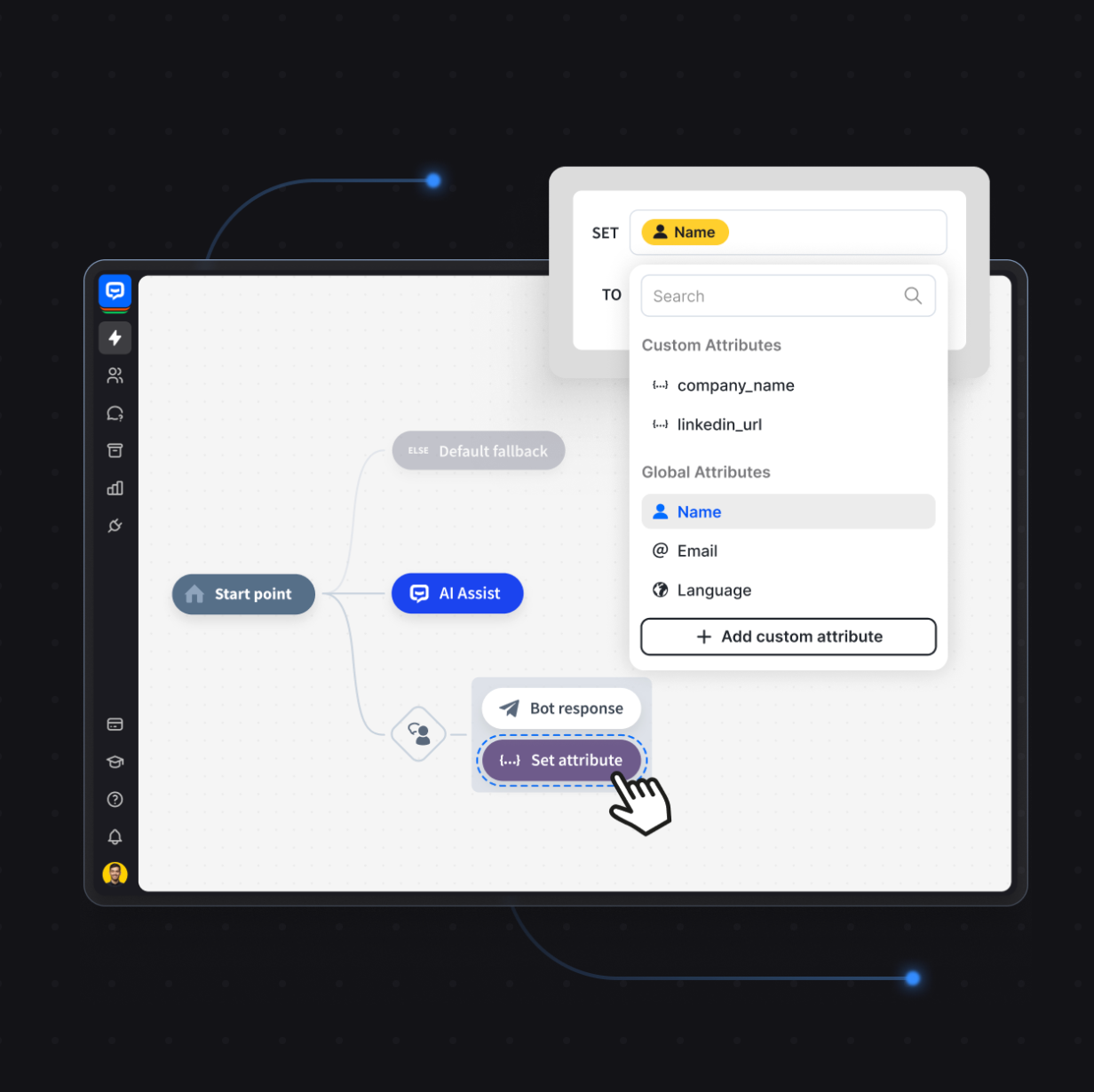
Alternatively, no-code agent development platforms let you how to build an AI agent through a visual interface. ChatBot takes this approach: you configure your AI agent's knowledge sources, behavior rules, and integration points without writing agent logic from scratch.
Get the data right
The success of AI agents depends heavily on the quality of data provided as context. Your agent is only as smart as the information it can access. Garbage context produces garbage decisions. Spend time curating your knowledge base, defining which data sources the agent can query, and setting clear boundaries around sensitive data.
Establishing evaluation metrics is important to ensure consistency of responses. Track resolution rates, escalation frequency, and customer satisfaction. Without metrics, you're guessing whether the architecture is working.
Deploy and iterate
To deploy AI agents effectively, start narrow. One use case, one domain, one AI agent platform with clear success criteria. Expand once you've validated the architecture works. Modern AI agents improve over time by learning from past interactions, so the system you launch isn't the system you'll have six months later. It should be better.
Set constraints and guardrails
Implementing an AI agent that knows everything and solves everything independently is not realistic. You need constraints to meet industry regulations, ensure data privacy, and prevent the agent from making promises your business can't keep.
Define what the agent is allowed to do and what requires a handoff to a human. Set boundaries around sensitive data access. Specify which external tools the agent can call and under what conditions. An unconstrained agent isn't impressive. It's a liability.
Measure what matters
Establishing evaluation metrics is what separates building agents as an experiment from running agents as a business process. Track resolution rate, escalation frequency, customer satisfaction, and time-to-resolution. Compare agent performance against human baselines.
Without metrics, you can't tell whether your architecture is working or just generating confident-sounding answers that miss the point.
Build your first AI agent
AI agent architecture isn't an academic exercise. It's the difference between an agent that resolves 80% of customer issues autonomously and one that loops three times before giving up and saying "Let me transfer you to a human."
The architecture defines how the agent thinks (LLM), what it remembers (memory), what it can do (tools), and how it decides what to do next (routing and planning). Get these four pieces right, and you've got something that earns its keep.
Ready to stop designing on whiteboards and start building? Try ChatBot for free with a 14-day free trial and see what a well-architected AI agent can do for your customer conversations.